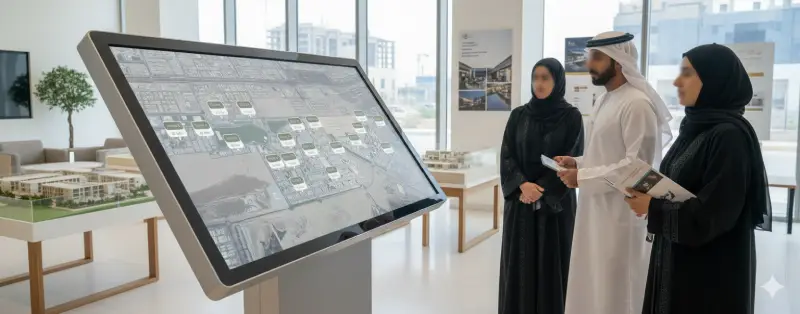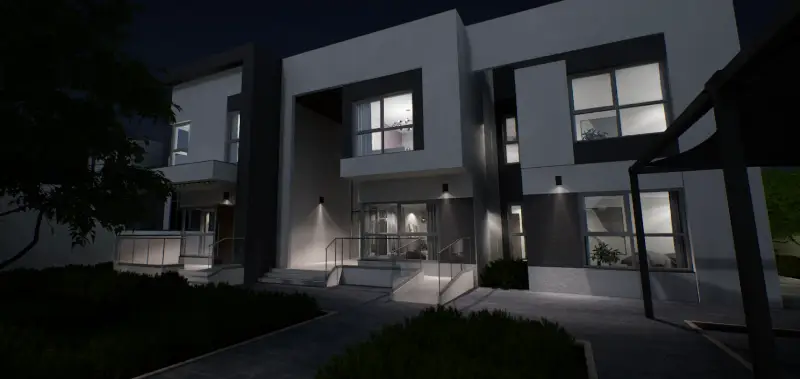
Interactive Showroom Experience brings future developments to life inside the sales gallery. Powered by Unreal Engine 5, it lets buyers walk through a photorealistic digital twin of the property, helping them clearly visualize the final product and build an emotional connection with their investment.
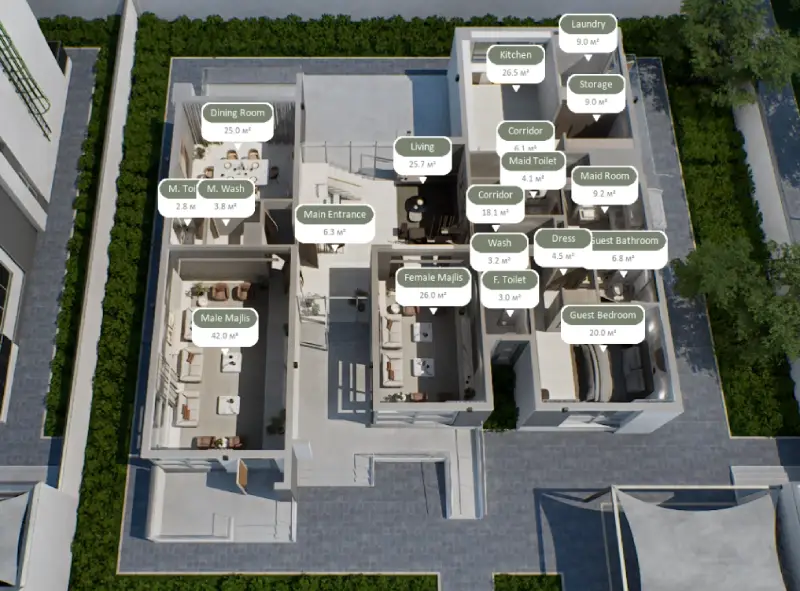
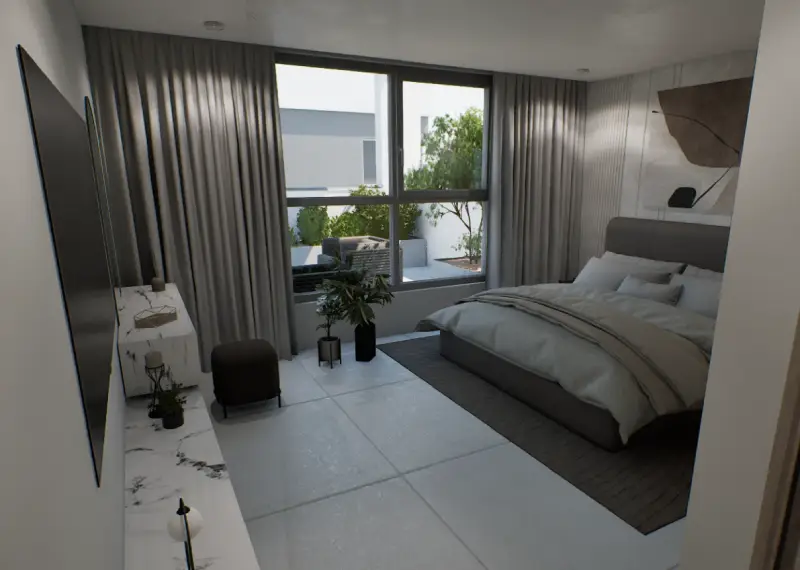
Present a complete 3D model of your project’s exterior and interiors with incredible realism. Buyers can navigate freely: rotate and zoom the building to view it from any angle, then dive inside for a virtual walkthrough of model units. The environment includes actual surroundings – we integrate drone footage and 3D context, so when a buyer looks out the virtual window, they see the real neighborhood or skyline. This helps them grasp not just the unit, but its environment.
The solution is designed for a 4K touch display – intuitive pinch, drag, and tap controls let users explore effortlessly. It’s engaging and kid-friendly (great for families visiting). For an even deeper immersion, support for VR headsets is available: a prospect can put on an HTC Vive or Oculus and literally walk around their future home in virtual reality. Switching between touch and VR modes is seamless, catering to all comfort levels.
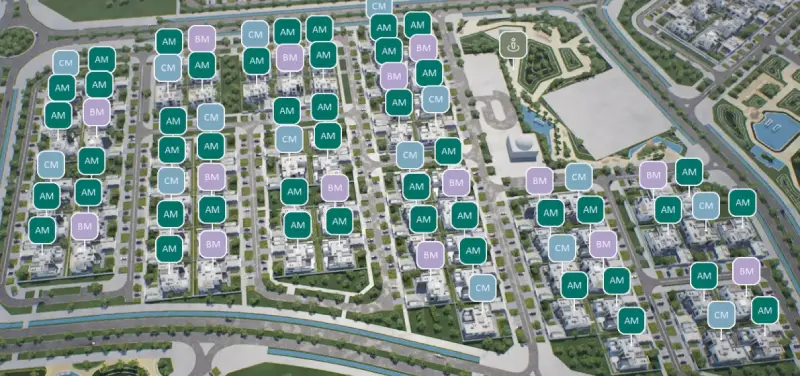
On the main screen, a 3D masterplan or site map of the development is presented. Buyers can tap on any building in the complex to highlight it and pull up details. From there, they can select a floor level – e.g., “Level 15” – and the app will display that floor’s layout plan. Each unit on the floor plan is interactive: tap a unit to see key info (unit number, bedrooms, size) and jump into its virtual tour or detailed view. This drill-down approach makes it easy to browse a large development.
The showroom app ties directly into your inventory database or CRM. Units are labeled as “Available”, “Reserved”, or “Sold” in real time. For available units, the current price is shown, and it can even reflect promotions or changes instantly if the CRM is updated. This means no more outdated price sheets – buyers and agents always see up-to-the-minute data. It also creates urgency; e.g., if only a few units remain, they’ll see that live.
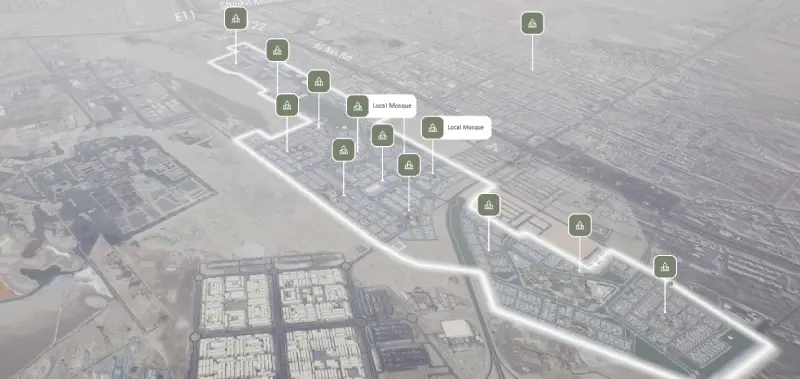
A special “Nearby Infrastructure” feature can visualize local amenities around your project. For example, the app can draw a radius or show icons for schools, malls, parks, metro stations, etc., with labels of how many minutes away they are on foot or by car. This contextualizes the project’s location benefits (from the slide: “how many minutes to the nearest school, clinic or metro” are shown. All that information appears on one screen, helping clients value the location convenience.
Impress buyers by showing how their unit looks at different times of day or from different perspectives. The showroom app can simulate sunlight/shadows in the apartment (e.g., morning vs afternoon) – so they know if they’ll get that sunny living room they want. It can also offer multiple panorama viewpoints: e.g., a pop-up “view from this unit” that might even overlay the actual surrounding panorama (drone-captured) from that floor. This is an optional but impactful feature for view-sensitive sales (sea view, city view).
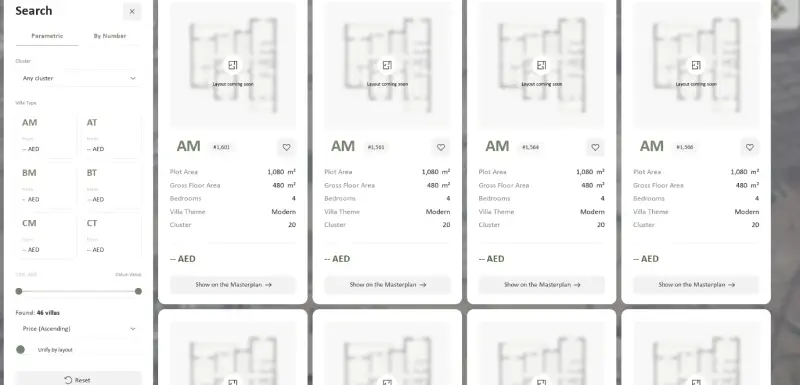
Sales agents can quickly find units matching a buyer’s criteria using built-in search. Filter the available inventory by price range, number of bedrooms, floor, view, etc. The system instantly narrows down matching units on the plan. For example, input “2 bedroom, ≤$500K, sea-facing” – and it might highlight 3 units that fit. This saves time and ensures buyers see only relevant options, preventing overwhelm in large projects.
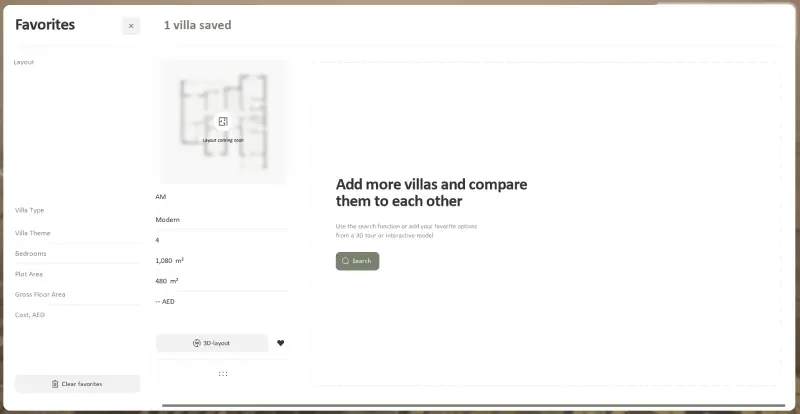
During exploration, the buyer (or agent) can mark certain units as favorites. Perhaps they like Apt 12A and 15C – the app can add these to a wishlist for later review. At the end of the visit, the agent can pull up the wishlist and discuss those specific units, or email the list to the client. The wishlist can also be exported or synchronized with CRM for follow-up. It supports sharing too: if the client wants to show a unit to their family, one tap can send a WhatsApp or email link to that unit’s info page (if an online version exists, or a PDF snapshot can be generated).
Need a custom rendering on the spot? The showroom app can generate a high-resolution image in seconds. For instance, if the buyer wants to see the interior with a different finish or wants a picture of the view, the agent can adjust the view in the app and hit “Render Image”. Within moments, a PNG/JPG is produced. This can be printed or emailed to the client as a takeaway. It’s a powerful way to give something memorable – “here’s the exact view from your future bedroom” – without waiting days for designers. (This feature leverages the same 3D content; it’s essentially taking a photo from the engine on demand.)
You begin at a 4K touchscreen kiosk in the sales center, where the project comes to life in its real location and true scale. Switch from day to night, observe sunlight on the façade, and explore key features for families like schools, parks, mosques, and clinics, all with walking times and directions displayed.
When prospects visualize living in the area, they can interact with the touchscreen to select a villa. The app connects to the CRM, providing instant availability and pricing—no delays, just clarity.
For remote buyers, you can share the experience via a link, allowing the whole family to participate from anywhere. They can explore, shortlist, and decide quickly, seeing their future home today.
For marketing leaders, the best part is that one digital twin enhances sales enablement, content, and insights, with engagement analytics revealing what buyers value and how to improve their journey, making communities more attractive.
Our team can set up a live demonstration at your location or via video conference to show the Interactive Showroom in action.