Expand your reach beyond the sales office.

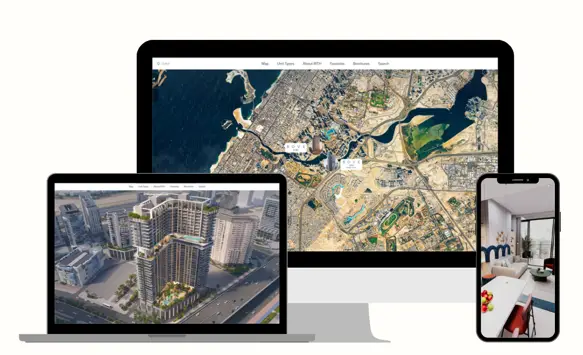
The Web-Based 3D Walkthrough enables self-service virtual property tours via a website or shareable link. Prospects can explore the space anytime, on any device, directly in their browser with no downloads required. Despite minimal setup, it delivers rich visuals and interactivity, giving remote viewers an experience close to being there in person.

Key Features

Accessible via Browser

Accessible via Browser

The entire 3D experience is hosted online. Users simply click a link (or a “Virtual Tour” button on your website) and the tour loads in their web browser. It’s compatible with major browsers (Chrome, Safari, etc.) and adapts to desktop and mobile. This one-link access means you can easily share the tour through email campaigns, social media, or QR codes on print media – dramatically increasing accessibility to your sales experience (up to 10× more prospects can be reached compared to in-person alone).

Project Selection Map

Project Selection Map

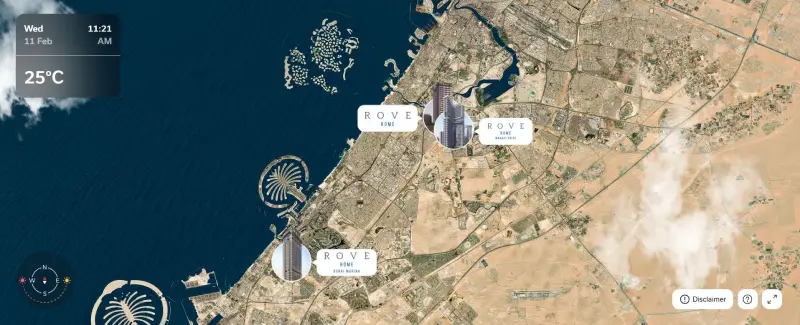
For developers with multiple projects, the web app offers an interactive 2D map or project gallery as the entry point. Users see all your developments pinned by location or listed by name. Clicking on a project takes them into that project’s 3D experience. This serves as a unified portal: one link can showcase an entire portfolio of projects, each with its own 3D walkthrough.

Exterior & 360° Environment

Exterior & 360° Environment

Once in a project tour, users start with a sweeping exterior view of the building or community. They can rotate the view (via mouse drag or touch swipe) to see the property from different angles. We limit rotation to predefined orbits to ensure performance and a guided feel. The surrounding environment is depicted to provide context – often using high-quality panoramas or simplified 3D of the immediate vicinity (trees, neighboring buildings, etc.). For example, the tour might load with a slow spin around a tower, then allow the user to control the view.

Floor Plans & Unit Details

Floor Plans & Unit Details

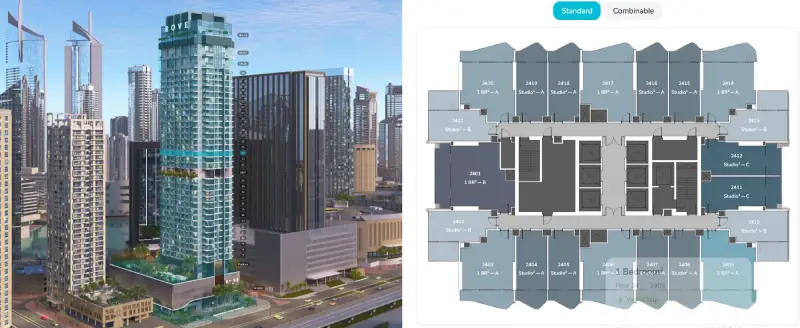
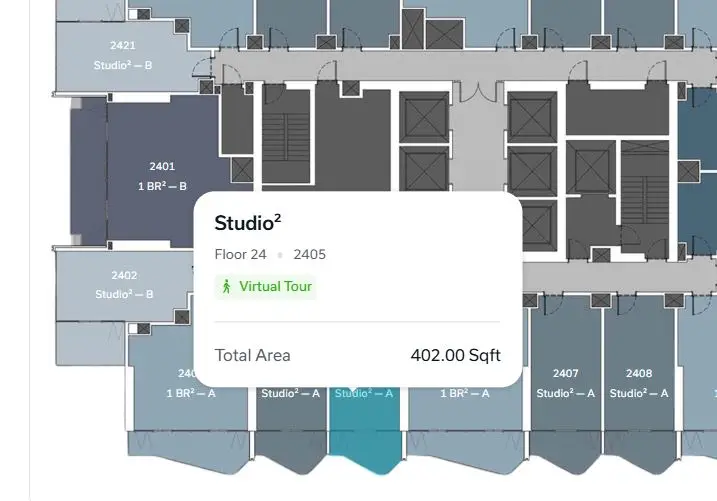
The web interface makes it easy to dive into specifics. A user can bring up a floor selector to choose a building level. The app then shows the floor plan with outlines of each unit. Clicking a specific unit will present its details, like number of bedrooms, floor area, price, and availability status (fetched live from the backend). Available units could be highlighted in green vs sold in red, etc., similar to the showroom app. This interactive inventory lets users browse options at their own pace, much like an online store for apartments.

Interactive 3D/360° Tours

Interactive 3D/360° Tours

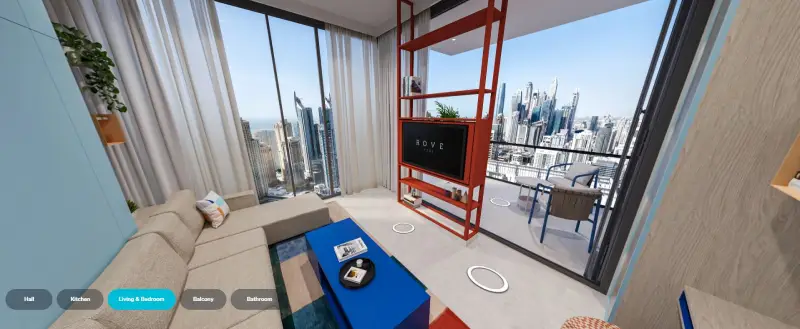
For each unit or key area, the web app provides an immersive tour. Given web limitations, this is often delivered via high-resolution 360° panoramas at key points (rooms) rather than free-roam 3D, to ensure smooth performance across devices. Users can click “Virtual Tour” on a unit and then swipe around to look in all directions within a room. Hotspots or arrows allow moving to the next viewpoint (e.g., from living room to bedroom to balcony). These panoramas are pre-rendered in 4K quality, so even on a phone, the clarity is impressive. The tour gives a sense of space, finishes, and views without any app installation – it runs on “all devices, all screens” smoothly.

Mobile-Friendly UI

Mobile-Friendly UI

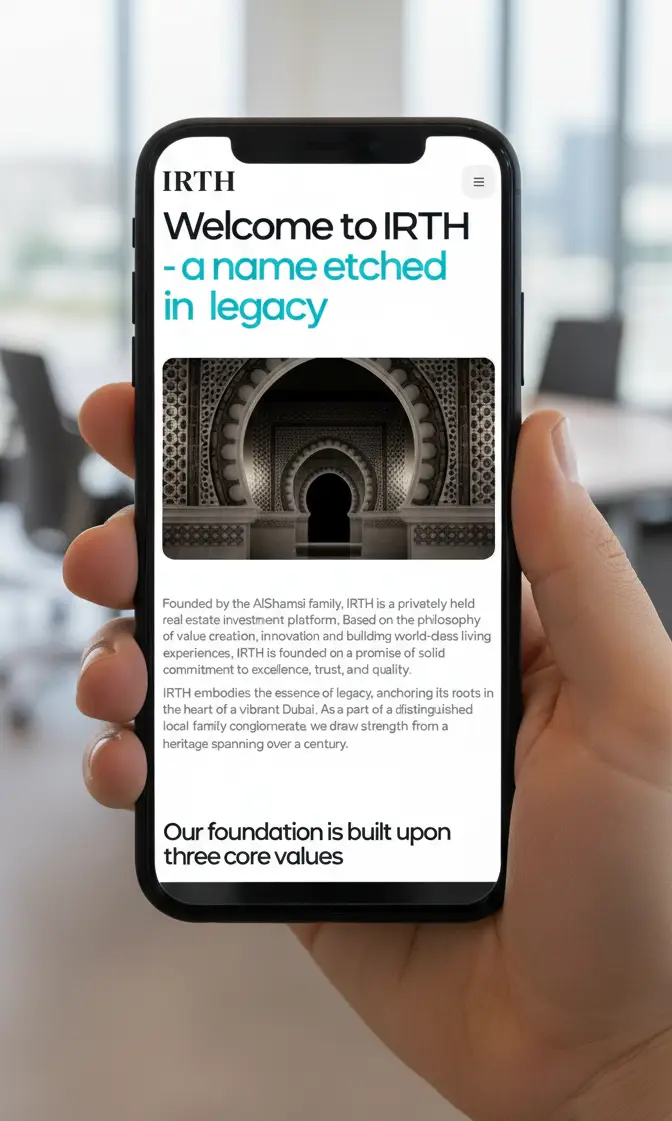
The interface adapts to touch screens. On a phone, UI elements become larger buttons, swipe gestures rotate views, etc.. On desktop, users might use mouse drag or on-screen arrows. The design ensures even someone using a one-hand on a phone can navigate the tour easily. No tiny text or fiddly controls – everything is optimized for tap targets and small screens (tested down to typical smartphone dimensions).

Search & Filter Options

Search & Filter Options

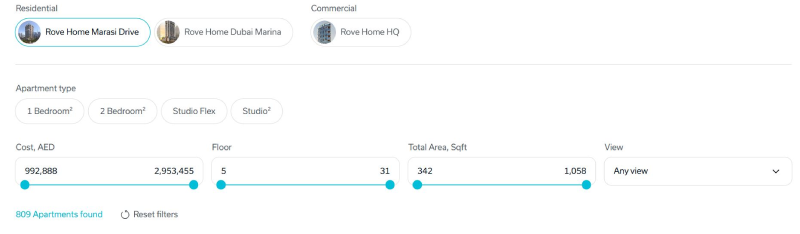
The web platform mirrors the advanced parametric search capabilities of the showroom, integrated with CRM data. A visitor can apply filters like “show me 2-bedroom units under 1000 sq ft” or “only show available units with sea view”. The UI might present these as dropdowns or sliders. When filters are applied, the available unit list or floor plan highlights update in real-time. This allows buyers to self-serve and find what fits their needs without scanning through dozens of irrelevant options, making their experience more efficient and satisfying.

Live Availability & CRM Sync

Live Availability & CRM Sync

The web app calls the backend (through APIs) for live data. So if, for example, a unit gets reserved in the morning, when a buyer visits the web tour in the afternoon that unit will be marked accordingly. This reliability fosters trust; users aren’t looking at stale info. Plus, if a user registers or inquires about a unit, that interest can be logged to your CRM immediately. For instance, if they click “I’m interested in Unit 1503” and fill a short form, the CRM not only gets their info but knows it’s about that specific unit and that they virtually viewed it (great insight for sales follow-up).

Wishlist & Sharing

Wishlist & Sharing

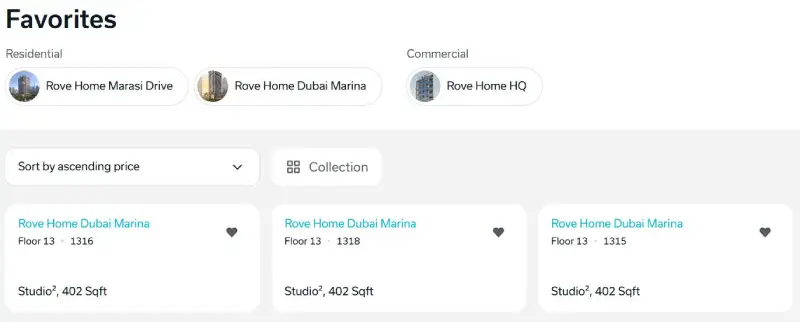
Visitors can save units they like during their session by “ Adding to Favorites”. They might need to enter an email to save across sessions or just use cookies for same-device. This favorite list can be reviewed and edited. Importantly, the app allows them to share a particular unit or their whole favorites list with others easily. A built-in WhatsApp share button generates a link or message that says, for example, “Check out this 2BR apartment in [Project Name] that I found: [short link]”. This viral feature can bring more traffic (friends/family click and join the tour), and it helps involve all decision-makers. Social media share (Facebook, Twitter) could also be enabled for broader marketing, but WhatsApp/email is key in this region for family sharing.

how this integrates in your sales process

In Dubai’s off-plan market, confidence is crucial as buyers have many choices. Established developers rely on their reputations, while newcomers must innovate to stand out.

IRTH’s interactive 3D walkthrough enhances the buying experience. Buyers can explore a location map and a 3D environment, browse unit types, filter options, and save favorites for easy comparison.

In the showroom, your team can swiftly address questions, maintaining momentum—seeing is believing. For international clients, a self-service web experience boosts clarity and desire.

Brokers also benefit, aligning shortlists with clients through fewer messages and sharing selected units via WhatsApp, enhancing professionalism and trust.

Behind the scenes, the experience connects leads to sales reps, integrates with CRM workflows for pricing and availability, and provides insights into buyer behavior, allowing teams to refine the journey based on data.

Empower your broker network with a valuable digital showroom, creating a faster path from curiosity to commitment.

Contact us to explore our Web-Based 3D Walkthrough.

Our team can set up a live demonstration at your location or via video conference to show our Web-Based 3D Walkthrough. in action.


    Name *


    ×

    See how easy it is to captivate buyers online with our Web-Based 3D Walkthrough.

    Bring your project online and let the world explore it virtually.